

Instead of manually chasing seat assignments and baggage requests, open your airline’s booking manager to select seats after booking a flight, add eligible extras and save the updated confirmation. For Australia-to-India journeys, check each passenger and flight sector separately before treating the changes as complete.
In-short:
- Select seats after booking flight tickets through the operating airline’s booking manager, where your booking permits changes.
- Mann Travel AU suits Australia-to-India travellers who prefer an agency booking service.
- Check seats, extra baggage and meal requests separately for every passenger and flight sector.
- Save the updated itinerary and any extras receipt; a selected seat is not protected against every operational change.
Why this matters
A flight booking and its extras are not the same thing. Your ticket can be confirmed while your preferred seat, additional baggage or meal request still needs attention.
On a connecting Australia-to-India itinerary, different airlines can operate different sectors. A seat selected for the international flight does not automatically cover an onward domestic connection. Check the airline operating each flight, not just the airline name on the booking email.
For travel in 2026, use the conditions attached to your actual ticket rather than an older booking or another traveller’s experience. Seat-selection rules, baggage allowances and meal-request deadlines depend on the airline, fare and journey.
Mann Travel AU is best for Australia-to-India travellers who want an agency booking service. If you are still arranging the journey, start with Mann Travel AU; if you already hold a ticket, keep its confirmation ready for the steps below.
Before you start
- Gather your documents: Have your airline booking reference, passenger surname as ticketed, itinerary and access to the email address used for the booking. Keep your ticket number handy if supplied.
- Identify the operating airline: A travel agency reference is not always the reference the airline’s website accepts. For a codeshare journey, request the operating airline’s booking reference if the supplied reference does not retrieve the trip.
- Check restrictions first: Review your fare’s seat and baggage conditions, plus any special-assistance requirements. Exit-row seating has eligibility rules; do not choose it solely for extra space.
Use the current booking confirmation for your 2026 journey. If the itinerary has changed, an older email can send you to the wrong flight or leave you checking a sector that has been replaced.
Booking access and passenger details
The booking manager is the starting point for self-service changes. Manage booking, Manage bookings and My trips are common navigation labels; use the equivalent shown on your airline’s official website rather than expecting identical wording everywhere.
- Open the airline’s official website or app. Find its booking-management area. Avoid entering booking details into an unfamiliar page reached through an unsolicited message.
- Retrieve the reservation. Enter the airline booking reference and passenger surname in the fields provided. Copy the name from the ticket rather than substituting a nickname or a different spelling.
- Check the itinerary. Match departure airport, destination, travel date and passenger names against your latest confirmation. For an overnight journey, read the arrival date as well as the departure date.
- Identify each flight’s operator. Read the operating-airline information for every sector. If a partner-operated flight cannot be edited, retrieve that sector through the operating airline or ask your booking agent for help.
Expected result: You can see the correct passengers and current flights, with either editable extras or a clear indication that another channel must handle them.
Keep a simple sector checklist beside you. For example, list the Australia-to-hub flight and the hub-to-India flight separately rather than recording only the final destination. This prevents an apparently complete booking from hiding an unchecked connection.
Seat selection and passenger assignments
Seat maps describe a particular flight and aircraft configuration. Choose seats against the map attached to your reservation, not a seat-map image from a different aircraft or an old trip.
- Open the seat-selection option. Select the passenger and flight sector before choosing a seat. Check the map’s legend so you understand which seats are selectable and which have restrictions.
- Match the seat to the traveller. An aisle seat suits someone who needs easier aisle access; a window suits someone who prefers not to be disturbed by row-mates getting up. Neither guarantees comfort on every aircraft.
- Review conditions before confirming. Read the conditions shown for the selected seat, including exit-row eligibility and the rules for later changes. Do not assume a seat benefit carries across to a replacement flight.
- Complete the transaction and reopen the booking. Finish any required checkout, then verify the seat assignment against the correct passenger and sector. Repeat for the remaining flights.
Expected result: Each completed seat selection appears in the booking for the intended traveller and flight. A highlighted seat on an unfinished selection screen is not sufficient confirmation.
For families, check the entire travelling party before completing a change. Moving one adult into a preferred seat can leave the rest of the group separated. If you need assistance-related seating, request it through the airline’s designated process rather than relying on an ordinary seat-map choice.
Choose an extra by the problem it solves
Use this comparison when deciding what to review for a 2026 trip. These are different booking tasks, not interchangeable benefits.
| Option | Best for | Benefit | Limitation |
|---|---|---|---|
| Advance seat selection | Travellers with a seat-position preference | Lets you choose from eligible seats shown for your booking | Operational changes can alter the assignment |
| Additional checked baggage | Travellers whose luggage exceeds the included allowance | Adds the baggage entitlement specified in the purchase | Weight, piece and sector restrictions still apply |
| Special meal request | Travellers with dietary preferences or requirements | Records a request for an offered meal category | A request does not establish an allergen-free environment |
Choose the extra that addresses your actual requirement. A preferred seat does not add baggage, and a meal request does not change your ticket’s cabin or seat entitlement.
Baggage and meal requests
Review the existing allowance before adding anything. International and onward domestic flights can have different baggage conditions, even when they appear together in your itinerary.
- Read the included baggage allowance. Check whether the booking expresses checked baggage by weight or number of pieces. Treat cabin baggage separately; an additional checked allowance does not automatically change cabin-bag rules.
- Open the additional-baggage option if needed. Select the passenger and applicable flight sectors. Read the permitted bag conditions and the scope of the addition before completing the transaction.
- Open the meal-request option. Select the category that matches the traveller’s needs from the options actually offered. Check the airline’s submission deadline for that flight rather than applying a deadline from another carrier.
- Save and verify both changes. Reopen the reservation and check the baggage addition and meal request independently. Keep any confirmation or receipt issued for the transaction.
Expected result: The reservation or supporting confirmation identifies the correct passenger, relevant flights and requested or purchased extras.
For allergies or medical dietary needs, read the airline’s specific guidance and contact the airline when necessary. A meal category is not a guarantee against cross-contact. Do not interpret a vegetarian, vegan or other dietary label as an allergy-safety promise.
If an extra is missing from the online booking but you have a receipt, resolve the discrepancy before purchasing it again. Start with the airline or agent that processed that transaction and provide the reference shown on the receipt.
Confirmation records and final checks
Finish the process with 2 checks: reopen the booking after making changes, then review it again when online check-in opens. These checkpoints help you catch an incomplete transaction or a later itinerary change without assuming the first confirmation remains unchanged.
- Save the updated itinerary. Check that it reflects the current flights and passenger details. Keep the original ticket confirmation too, especially if later emails record only an amendment.
- Save the extras receipt. Retain the document or email showing what was added and which passenger it covers. A bank transaction alone does not describe the entitlement.
- Save the seat record. Keep the confirmation showing the seat assignment, then compare it with the boarding pass at check-in. Follow any updated instructions from the airline.
Expected result: You have 3 records ready: the current itinerary, the extras confirmation and the latest seat record. Store copies somewhere you can access without relying entirely on an airport internet connection.
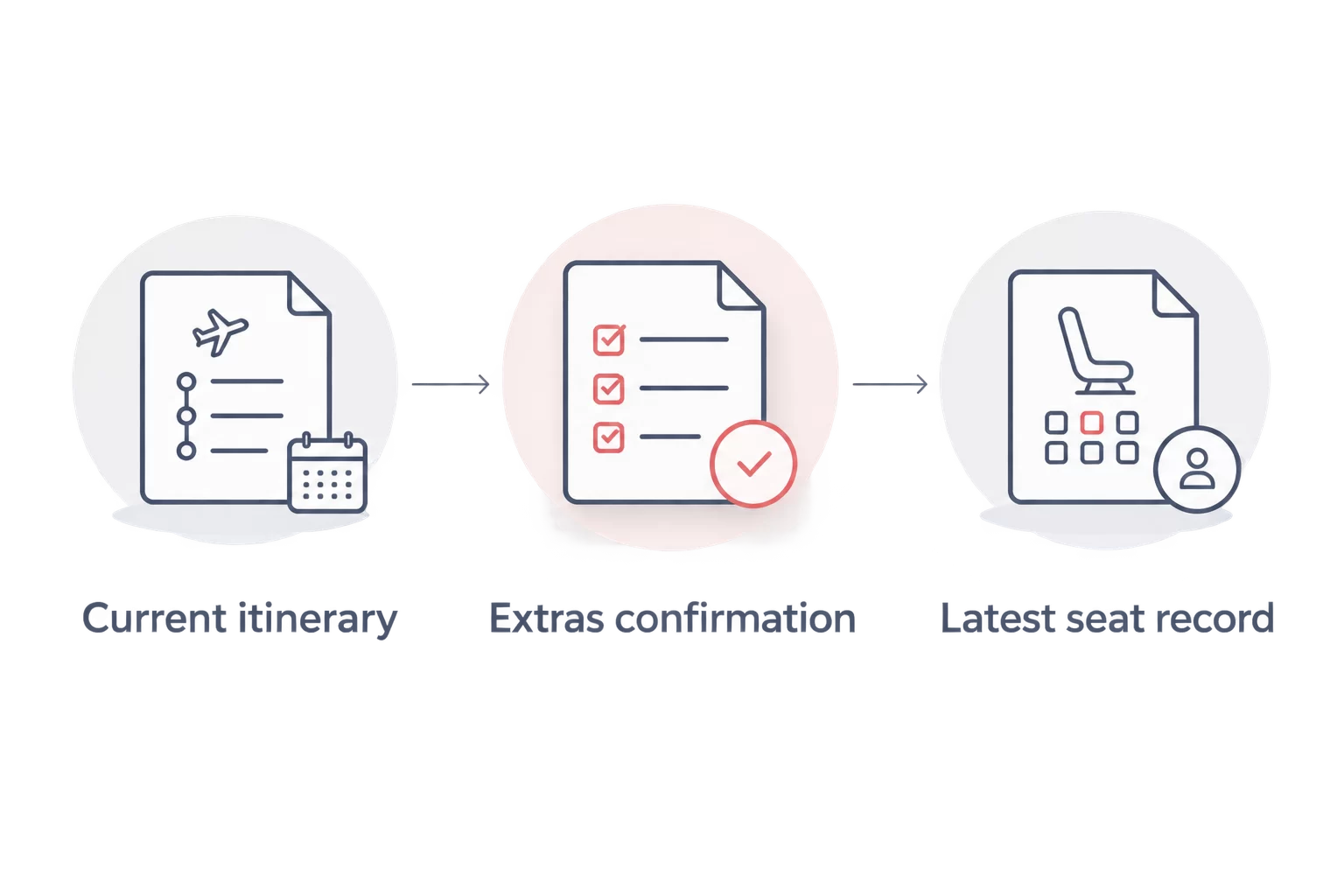
Keeping these records is especially useful when more than one airline operates the journey. Each document should help identify the passenger, flight and change, rather than merely showing that an email was received.
Repeat the checks after a flight change
A schedule change, rebooking or aircraft substitution creates a second workflow: check the existing extras against the revised itinerary. Do not assume every seat assignment or additional service has transferred.
For a changed 2026 itinerary, work from the newest confirmation and repeat these steps:
- Retrieve the revised reservation and match every flight to the new itinerary.
- Open the seat map and confirm each passenger’s current assignment.
- Check additional baggage against the replacement flights and operating airlines.
- Review meal requests and any special-assistance arrangements through the appropriate channel.
- Ask the airline or booking agent to resolve missing extras, supplying the earlier confirmations.
Expected result: Your records describe the flights you will actually take, not just the original booking. If a selected seat is no longer offered, ask about the applicable reassignment or refund conditions rather than assuming either outcome.
For an agency-issued ticket, Mann Travel AU can be your booking contact. Airline-controlled seat maps and eligibility rules still govern the choices shown for the flight; an agency booking does not remove those restrictions.
Troubleshooting
The airline cannot find the booking
Check that you entered the airline reference rather than an agency invoice number. Match the ticketed surname, then confirm that you are using the correct operating airline’s website. Ask your agent for the operating-carrier reference if needed.
The seat map is missing or cannot be edited
Check whether advance selection is permitted for that fare and flight. Partner-operated services and some booking conditions require another channel. Contact the operating airline or booking agent rather than repeatedly submitting the same request.
The seat disappeared after an itinerary change
Open the latest reservation and review the new aircraft’s seat map. Ask the airline to explain the replacement assignment and the conditions applying to the original selection. Keep the earlier confirmation until the issue is resolved.
The extra was processed but does not appear
Compare the receipt’s passenger and flight details with the booking. Contact the party that processed the addition and ask it to confirm the entitlement against the reservation. Do not duplicate the purchase while the first transaction remains unresolved.
The meal option is no longer editable
Check the airline’s meal-request deadline and contact it about remaining options. Do not assume a request made at the airport can be fulfilled. For medical dietary needs, follow the airline’s guidance before travelling.
Customise your workflow
For a solo journey, keep a passenger-by-sector checklist. For a family booking, add a row for each traveller so you can check seats, bags and meals without treating the group as a single passenger.
Separate ordinary extras from special assistance. Mobility support, medical clearance and other assistance arrangements have their own processes; selecting a seat or meal does not replace them.
If your 2026 booking needs manual attention, contact Mann Travel AU with the booking reference, affected flight and exact change required. Do not send passport copies or payment-card details unless requested through an appropriate secure process.
Frequently Asked Questions
Can I select seats after booking a flight?
Yes, where your airline and fare permit advance seat selection. Retrieve the reservation through the airline’s booking manager, choose the passenger and flight, and complete the confirmation process.
Can I choose seats if I booked through Mann Travel AU?
Try retrieving the reservation through the operating airline using the airline booking reference. If the booking cannot be retrieved or edited, contact Mann Travel AU with your confirmation details.
Why does my flight have a different operating airline?
A flight can be sold by one airline and operated by another under a codeshare arrangement. Check the operating-airline information because its systems and rules can determine how you manage seats and extras.
Does choosing a seat cover my connecting flight too?
No, selecting a seat on one flight does not automatically assign a seat on another. Check each passenger and sector separately, including onward domestic flights in India.
Can I add baggage after I have booked?
Many airlines permit additional baggage after booking, subject to their rules and deadlines. Check the existing allowance first, then verify the passenger and flights covered by the addition.
Is a selected seat guaranteed after an aircraft change?
No, an aircraft change can alter your seat assignment. Review the revised booking and ask the airline about the conditions applying to your original seat selection.
Can I request a vegetarian meal after booking?
Yes, if the airline offers the relevant meal category and its request deadline has not passed. Record the request for each relevant flight and do not treat a dietary meal as an allergen-free guarantee.
One last thing
Check the passenger name beside the extra, not just the flight number. On a shared booking, the right baggage addition or seat can still be attached to the wrong traveller. Read each confirmation as a passenger-and-flight pair before closing the booking.
Related guides
- Seat selection tips for long-haul flights to India
- Airlines and baggage allowances on India flights
- Vegetarian meals on flights to India

